One Stolen Key. 300+ Companies' Email. ConnectWise 'Cannot Determine' Whose.


On October 15 a stolen ConnectWise Cloud Backup credential signed in to Microsoft 365 tenants, including tenants that had not used SkyKick in years. Most of those organizations never chose the product. Their IT provider did. This is the vendor audit that would have found it, and the logs to save before they start expiring Thursday.
"We haven't used SkyKick in years"
At 9:04 PM Central on Wednesday, October 14, 2026, a Microsoft 365 tenant somewhere in a managed service provider's book of clients raised a Privileged Identity Management alert. A service principal called "SkyKick Cloud Manager - Exchange Online" had given itself the Exchange Administrator role. The administrator who received the alert pasted it into Reddit's r/msp forum with one line that is the subject of this post: "We haven't used SkyKick in years, which makes this especially interesting."
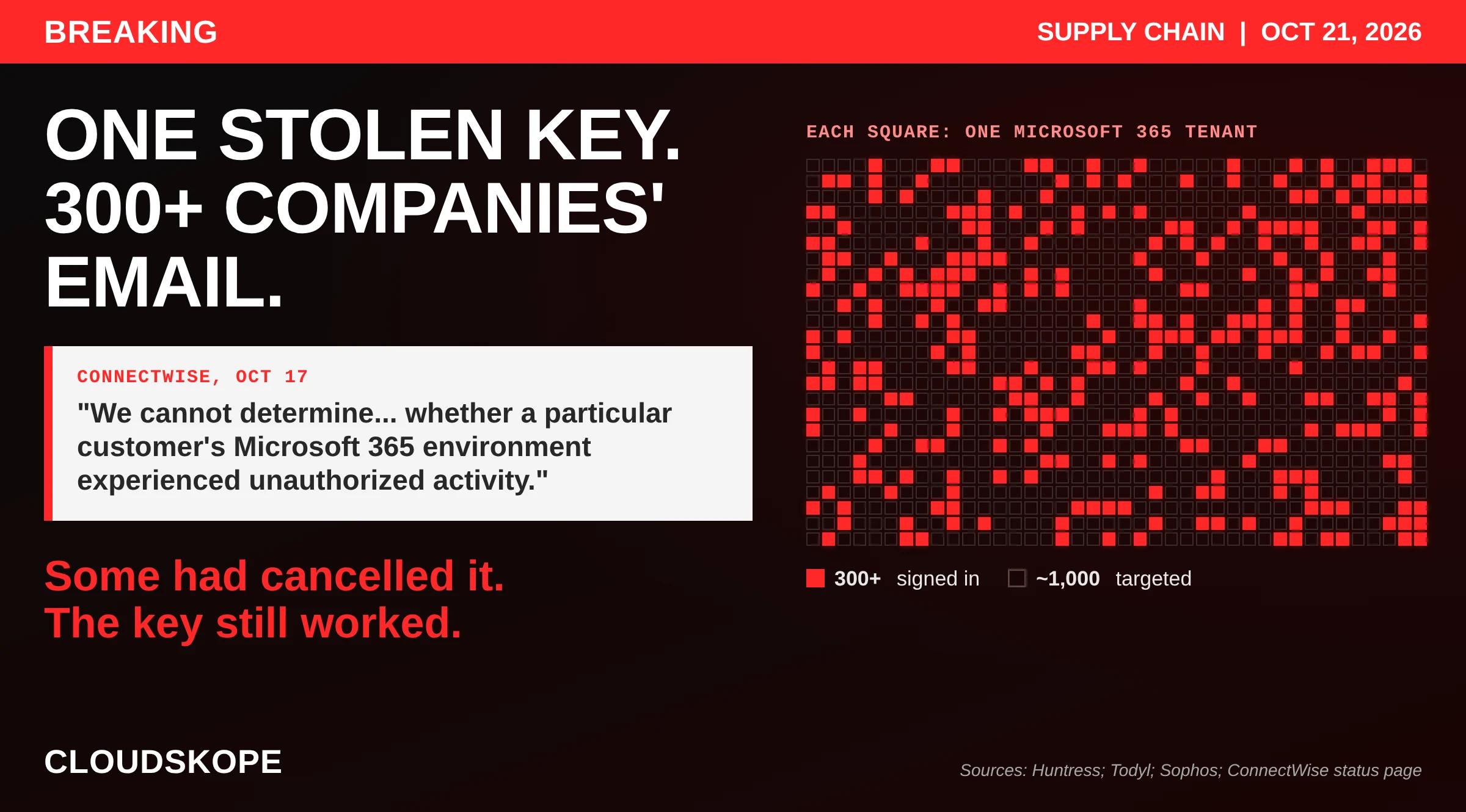
About four hours later, an application credential belonging to ConnectWise Cloud Backup, the product formerly sold as SkyKick, was used from a rented server in a Wyoming-registered address block to request Microsoft Graph access tokens in customer tenants, one after another, in sorted order. The security firm Huntress confirmed unauthorized sign-ins in 162 tenants by Friday afternoon and 173 by Friday evening. On Saturday it counted almost 1,000 Microsoft Entra tenants with sign-in activity from the attacker's address and more than 300 with successful sign-ins. Microsoft Threat Intelligence called it "an active supply chain attack." ConnectWise shut the service off. As of Wednesday afternoon it is still off.
Most of the organizations in those numbers never chose ConnectWise. They chose an MSP, and the MSP chose ConnectWise, or SkyKick before it, possibly years ago, possibly under a previous MSP. Someone with administrator rights in the tenant, often the MSP itself, clicked through a consent screen once. From that moment a vendor the organization had never signed a contract with held standing permission to read every mailbox, every OneDrive and every SharePoint site in its tenant. The key that used that permission sat in ConnectWise's own tenant, out of reach of the organization's multifactor authentication, its Conditional Access policies and every security clause in its MSP contract.
This post is for the organizations in that position: the accounting firms, law practices, wealth managers, credit unions, manufacturers, nonprofits and local governments that hand Microsoft 365 to an MSP and assume the MSP has security covered. Some MSPs do. Many are very good at what they are hired for, which is keeping people working, and have no one whose job is to ask what their own tools can reach. If that describes yours, this incident is your audit finding, delivered free. The lesson is not really about ConnectWise. Your MSP's vendors are your vendors. If nobody has audited them, nobody knows what they can reach.
Two things are urgent. The first is evidence. On Microsoft Entra ID Free, which is what a tenant has unless someone bought Entra ID P1 or a plan that includes it, sign-in logs are kept for seven days. The sweep ran in the early hours of October 15, so those records start aging out at about 1:13 AM Central on Thursday, October 22. The export steps are below. The second is the audit itself, which takes longer and matters more.
What happened, in plain terms
A backup service for Microsoft 365 has to read every mailbox and file in a tenant at night, with nobody signed in. Microsoft supports that with application permissions. An administrator consents once. From then on, the vendor's application can request an access token for that tenant whenever it likes, proving its identity with a credential the vendor holds. No user signs in, so no user's multifactor authentication is involved. Todyl, whose detection team found the mechanism, put it in one sentence: "The app proves its identity with a client secret or certificate that the publisher holds, and that one credential works in every tenant that has granted consent."
ConnectWise has since confirmed the second half of that sentence in its own words. On October 17 it wrote: "The shared credentials previously used for Cloud Backup are no longer valid and cannot be used." Shared means one credential served every customer. Whoever held it was, for practical purposes, the backup application in every tenant that ever said yes.
What saying yes granted, according to Todyl: "tenant-wide read/write access to mail and attachments (including full mailbox access through Exchange Web Services), OneDrive and SharePoint files, and Teams chats, plus the ability to restore data into the tenant." Microsoft assessed that the attacker likely abused permissions customers had already granted, including Directory.ReadWrite.All, which lets an application read and change almost anything in a tenant's directory.
The sequence, as the named researchers have published it, with times in Central:
- October 13 and 14. Huntress saw password spraying from 144.172.64.128 against four law firm tenants. No user sign-ins succeeded.
- October 14, from 8:58 PM. In roughly 50 tenants Huntress monitors, ConnectWise Cloud Management applications assigned themselves directory roles, mostly Exchange Administrator. Huntress says the software signature "points to vendor automation, but we have not confirmed that with ConnectWise." In one tenant, between 10:44 and 10:49 PM, the Cloud Management app for Microsoft Teams made itself Global Administrator and added new client secrets, valid until 2028, to two other trusted applications: an MSP management tool and Huntress's own application. Huntress has not tied this to the same operator as the sweep.
- October 15, about 1:13 to 3:47 AM. The sweep. The backup credential requested Graph tokens tenant by tenant, in ascending tenant ID order. Sophos, analyzing its own customers, describes about 96 minutes of activity from a single virtual private server and assesses with high confidence that a script was working through tenants that had consented to the app.
- October 16. MSPs found it first, on r/msp, on Friday morning. ConnectWise's first status update came at 12:48 PM and spoke of "attempts of unauthorized access."
- October 17. ConnectWise shut off Cloud Backup application access, revoked certificates, and disabled seven application identities at 2:00 AM Central. That evening it took SaaS Security and Cloud Management offline as well.
How much data left those tenants is not known, and may never be. Huntress: "Directory reads through Microsoft Graph leave no audit trail, so 'tokens issued, nothing visible taken' is the current state." Todyl: "The absence of confirmed exfiltration is partly a visibility limit rather than a clean result. We recommend every affected organization treat its data as exposed." And ConnectWise, in the sentence that moves the work to its customers' customers: "By design, the configuration of Cloud Backup does not provide us visibility or access to downstream partner and customer environments. As a result, we cannot determine through our investigation alone whether a particular customer's Microsoft 365 environment experienced unauthorized activity."
Where it stands on Wednesday
We re-read ConnectWise's status page at 1:20 PM Central on Wednesday, October 21. Since our first read early Sunday it has posted seven more updates. The ones that matter:
- Two more addresses. On Sunday afternoon ConnectWise added 144.172.64.99 and 144.172.64.60 to its indicators. Huntress, after reviewing application sign-ins across more than 10,000 tenants that have ConnectWise applications, told The Hacker News that only 144.172.64.128 produced application sign-ins. Three other addresses in the same provider's range showed password spraying or failed logins.
- A second backdoored tenant. Huntress has now found two tenants with hands-on activity after sign-in, each following the same pattern: the application granted itself Global Administrator, then planted new secrets on a few other applications. It found no signs of mailbox or file manipulation, or of user or policy changes, and says the access may have been used for directory reads.
- A credential reset. "On October 19, we completed a full reset of all accounts and credentials in the affected Cloud Backup environment," ConnectWise wrote on Tuesday. It says it has seen no successful threat activity in the environments it monitors since 12:00 AM Central on October 17.
- No restoration date. ConnectWise plans "a controlled, phased restoration," says each step "will proceed only after passing a security review," and expects the process to take "several days" once it begins. It has not begun. Cloud Backup, SaaS Security and Cloud Management remain suspended. Backups are not running and restores are unavailable.
- Notice runs through your MSP. ConnectWise says it is "contacting our entire partner base" and has asked resellers, distributors and marketplace partners to make sure its guidance reaches the administrator responsible for each customer tenant. If your MSP is that administrator, everything you know about this incident comes through them.
Its latest update, at 8:07 PM Central on Tuesday, said: "We continue advancing remediation and security validation as we prepare for phased service restoration." It promised the next update by 8:00 AM Central today. When we checked at 1:20 PM, none had been posted. ConnectWise still has not said when the credential was first misused, how it was obtained, or which forensic firm is investigating.
Your MSP's vendors are your vendors. The backup key that opened hundreds of tenants was chosen and consented by IT providers, sat in the vendor's own tenant where no customer control could reach it, and stayed live after subscriptions ended. Only an audit of what your tenant trusts would have found it.
You never bought this product
Go back to the administrator at 9:04 PM. The tenant had not used SkyKick in years, and SkyKick's application was still there, still holding its grant, still able to promote itself.
That was not one tenant's bad luck. Todyl, ruling out a misconfigured backup job, listed among the differences between the attacker and the real service "nine target tenants that have no active backup subscription." Sophos found the same: the sweep included tenants without an active backup subscription. Another MSP administrator on r/msp wrote that they were "Seeing that IP activity even after not having their app in Entra for years, so seems they dont clean up on their side once you stop paying for the service." Asked who was affected, Huntress answered in one line: "Any organization with the app installed."
Cancelling a subscription cancels the invoice. It does not remove the application from your tenant, and it does not revoke the permission you granted it. The vendor can still request a token whenever it likes, and so can anyone who steals the vendor's credential. Microsoft's guidance tells administrators to review and remove application consents they no longer use. In a tenant run by an MSP, that is the MSP's job, and it is rarely anyone's billable task.
MSP changes make it worse. When an organization moves from one MSP to another, the outgoing provider's tools often stay behind, because removing them is nobody's line item. The incoming provider installs its own stack. A few years and a couple of providers later, the tenant is a record of every vendor anyone ever trusted, each still holding a standing grant. Names drift too. ConnectWise bought SkyKick in September 2024 and renamed the product Cloud Backup, but the applications in older tenants kept their old names. Huntress warns they may still appear as "SkyKick Cloud Manager." An organization that searched its tenant for "ConnectWise" this week might not find them.
Your MFA, and your MSP contract, never reached this door
Organizations that did the responsible things were exposed exactly as much as organizations that did nothing.
Multifactor authentication protects people signing in. This was not a person. Huntress: it was "an application sign-in with a vendor credential, not a user sign-in." Blumira drew the practical conclusion: "blocking the reported IP at your firewall has no effect." The sign-ins went from a server in Wyoming straight to Microsoft and never touched your network.
Microsoft does sell a control that restricts where an application may sign in from, Conditional Access for workload identities. It needs an additional license, and in Microsoft's own words, "Microsoft and third-party SaaS applications, including multitenant apps, are not covered by these policies." You cannot write a rule saying the ConnectWise backup application may only sign in from Azure.
Contracts did not help either. In May 2022, CISA, the NSA, the FBI and their counterparts in the United Kingdom, Australia, Canada and New Zealand published AA22-131A, the standard guidance for organizations that use MSPs. It tells customers to write security requirements into their MSP contracts. It says "Customers should ensure MSP accounts are not assigned to internal administrator groups" and "Contracts should also require MFA to be enforced on all MSP accounts used to access customer environments." Every one of those clauses is about accounts: people with passwords who can be made to present a second factor. None reaches an application whose credential sits with the MSP's vendor. An organization that wrote MFA for MSP accounts into its contract was as exposed on October 15 as one with no contract at all.
What would have helped is narrower and more manual: knowing which applications hold permissions in your tenant, removing the ones nobody uses, questioning the ones that ask for far more than they need, and keeping the logs that show what they did. That is a vendor audit, and it is the subject of the rest of this post.
An MSP runs your IT. Who checks your MSP?
Most organizations that hire an MSP are buying operations: laptops patched, accounts created and removed, email working, backups running, someone to call. That is valuable work. It is not the same job as security oversight, and the gap between the two is exactly where this incident lived.
Walk the chain for a typical small organization:
- Who chose the backup vendor? The MSP, usually on price, on how well it fits the MSP's other tools, and on margin. The client rarely sees the vendor's name.
- Who approved what it could reach? Whoever clicked the consent screen, usually an MSP technician signed in with the client's administrator rights, approving whatever permissions the vendor requested.
- Who reviewed the vendor's security? In many small engagements, nobody. The MSP is the vendor's customer, not its auditor, and the client does not know the vendor exists.
- Who would notice a strange sign-in? Application sign-ins sit on a separate tab in Entra. ConnectWise itself had to point partners to it, because "The default User sign-ins tab will not display the required information." Unless someone is collecting and watching those records, no one notices.
- Who would tell you? ConnectWise posted on its status page and asked partners to pass the word on. One MSP administrator described that path on r/msp: nobody was watching the advisory page, and there was "Not an email, not a word from our rep." That is one anonymous account, and we give it that weight. The cyber insurer Coalition, by contrast, alerted its own policyholders on October 16.
Huntress added a detail that should concern every organization on a basic plan. Its ability to check sign-in logs proactively, it said, is limited to tenants with Entra ID P1 or higher. The tenants least able to answer the question are the ones least likely to be checked for them.
None of this means your MSP did anything wrong. It means that if your MSP has no security function of its own, nobody in the arrangement was assigned to ask what the tools could reach. Security oversight of an MSP has to come from somewhere other than the MSP, for the same reason a company's books are audited by someone other than its bookkeeper.
Vendor history belongs in the audit
ConnectWise is one of the two or three platforms the American MSP industry runs on, which is why its incidents travel. An audit should weigh a vendor's track record, not only its latest statement:
- February 2024: ScreenConnect. ConnectWise disclosed CVE-2024-1709, an authentication bypass in its ScreenConnect remote-access product rated 10.0, the maximum. Huntress counted more than 8,800 vulnerable servers and called the exploit "trivial and embarrassingly easy," The Hacker News reported. CISA added it to its Known Exploited Vulnerabilities catalog.
- May 2025: a nation-state actor. ConnectWise confirmed suspicious activity linked to a nation-state actor that affected "a very small number of ScreenConnect customers," BleepingComputer reported, and named Mandiant as its investigator.
- June 2025: certificates rotated. ConnectWise rotated code-signing certificates for ScreenConnect and other products after concerns raised by a third-party researcher, Help Net Security reported.
- July 2021: the industry precedent. The REvil ransomware group pushed a malicious update through Kaseya's VSA remote-management tool. Kaseya said fewer than 60 of its customers and fewer than 1,500 downstream businesses were affected. The lesson then is the lesson now: a vendor to your MSP is a vendor to you.
We are not saying those incidents caused this one. Nothing published connects them. We are saying that an organization relying on this vendor through its MSP should know the pattern, and should know that the architecture behind this incident is not new. In January 2021, Mimecast told the SEC that a certificate it provided to customers to authenticate its product to Microsoft 365 "has been compromised by a sophisticated threat actor." One vendor credential, valid across many customers' tenants, stolen at the vendor. Five years later the same design opened hundreds of tenants again.
Before 1:13 AM Thursday: save the logs
The sweep ran from about 1:13 to 3:47 AM Central on October 15. On Entra ID Free, sign-in logs are kept seven days, and Microsoft is plain that buying a higher license later does not bring them back: "Data that has already expired can't be recovered unless it was previously archived." On our reading of Microsoft's published retention, applied to the published sweep window, a free-tier tenant's records of the sweep start aging out at about 1:13 AM Central on Thursday, October 22. Tenants with Entra ID P1, which is included in Microsoft 365 Business Premium and in E3 and above, keep 30 days.
Ask your MSP to do this today and to confirm in writing when it is done. If you hold an administrator account yourself, you can do it:
- In the Microsoft Entra admin center, open Sign-in logs and choose the Service principal sign-ins tab, not the default User sign-ins tab.
- Filter for the Cloud Backup application ID, 506e08f9-6e9a-4da4-942b-a099a03644ae, and for the six other ConnectWise application IDs ConnectWise lists on its Trust Center page. Older tenants may show them under SkyKick names.
- Export everything from October 13 forward. Look for sign-ins from 144.172.64.128, 144.172.64.99 or 144.172.64.60, or from anywhere that is not Azure. ConnectWise says its legitimate traffic comes from "Azure private IPv6."
- Export the audit log for the same period, filtered for changes to application credentials, application consents and directory role assignments. Huntress and Sophos both say to check every application in the tenant for new secrets or certificates since October 13, including your MSP's management tool and your security vendor's application.
- Store the exports somewhere your MSP does not administer.
If your tenant still has the ConnectWise applications and you no longer use them, remove their consent. If you do use Cloud Backup, keep the applications disabled until ConnectWise issues formal restoration instructions, and agree with your MSP where your backups are coming from in the meantime. Coalition's advice is sensible: coordinate with your MSP before disabling anything, because disabling the backup app stops backups.
Ask your MSP these questions this week
Put them in writing and keep the answers. A good MSP will welcome them.
- Is, or was, ConnectWise Cloud Backup, SkyKick or ConnectWise Cloud Management installed in our tenant, under any name? Who installed it, and when?
- Did anything sign in as one of those applications from outside Azure since October 13? Who checked, in which log, and when?
- Have the application sign-in logs and audit logs been exported, and where are they stored?
- Did any application in our tenant gain a new secret, certificate or directory role since October 13, including your own management tools?
- Where are our backups right now? If ransomware hit us this week, what would we restore from?
- Which other third-party applications hold permissions in our tenant? For each one: who the vendor is, what it can reach, whether we still use it, and who approved it.
- Which of your vendors and tools can reach our data, and how would you tell us if one of them had an incident? How fast?
- When we stop using a product, or stop using you, what gets removed from our tenant, and how will we know it was?
- Who at your firm is responsible for security, as distinct from support? What do they review, and how often?
- Would you support an independent review of our tenant and of the tools you have connected to it?
The answers tell you two things: what happened here, and whether your MSP has a security function at all. Vague answers to questions 6 through 10 are the finding.
The vendor audit, for every vendor and not just this one
SpecterOps put the larger point plainly: any third-party application with consent in your tenant is a potential attack path, and the review should not stop at ConnectWise. Here is the audit we would run for an organization whose Microsoft 365 is managed by an MSP. The first pass is usually a day or two of work. Keeping it current takes far less.
1. Inventory what your tenant trusts
List every enterprise application in Entra that holds application permissions, the kind that work with nobody signed in. For each one, record the publisher, the permissions, who consented and when, and the last sign-in. Expect surprises: tools from a previous MSP, migration utilities used once, trial products nobody cancelled.
2. Match every application to a contract and an owner
If no one at your organization or your MSP can say why an application is there and who pays for it, it is a candidate for removal. An application without an owner is an application nobody will remove when the relationship ends.
3. Remove what is not needed, and trim what is
Revoke consent for unused applications. For the rest, ask whether the permission matches the job. A backup product needs to read mail and files. It is fair to ask why it also needs to change your directory.
4. Decide who is allowed to consent
CISA's Microsoft 365 baseline says "Only administrators SHALL be allowed to consent to applications" and that an admin consent workflow "SHALL be configured." That would not have stopped this incident, because an administrator did consent. It does stop the next unvetted tool from arriving without anyone deciding.
5. Keep the evidence long enough to use it
Seven days of sign-in history is not enough to investigate anything. Entra ID P1 keeps 30 days and makes available Microsoft Graph activity logs, the record of what an application actually requested, if someone turns them on. Better still, send sign-in and audit logs to storage your MSP does not control. Microsoft's documentation is blunt: "Log retention changes aren't retroactive."
6. Put the MSP's vendors in the contract
AA22-131A already says contracts should detail "how and when MSPs notify the customer of an incident affecting the customer's environment." Extend that to the MSP's own tools. Require the MSP to list every third-party product it connects to your tenant and what each can reach; to notify you within a set number of hours when one of those vendors reports an incident; to remove its tools and consents when you stop using a product or end the engagement, and to confirm it in writing; and to support an independent review once a year.
7. Have someone independent check the work
The MSP cannot be the only party grading its own tooling. A periodic review by someone who does not operate your environment, and does not sell you the tools in it, is how a finding like "the backup vendor still has a key to every mailbox" gets made before an attacker makes it.
8. Repeat it when anything changes
Run the inventory again when you change MSPs, when your MSP changes its stack, and when a vendor in the chain is acquired. ConnectWise's purchase of SkyKick in 2024 was exactly the kind of event that should have prompted a second look at what the application could reach.
Where to start today
Cloudskope's cybersecurity tools give a quick read on related exposures in a few minutes. The email security check grades your SPF, DKIM and DMARC records. The dark web scan looks for stolen employee logins. CPA and tax firms can run the WISP check, and RIAs the SEC cybersecurity exam checklist. None of them looks for the ConnectWise applications; the log steps above do that. For the vendor audit itself, see our Microsoft 365 & Azure Security Assessment.
If you are regulated, a clock may be running
ConnectWise says it cannot determine whose tenant was affected. That does not pause anyone's obligations. It moves the investigation to you. Several regimes reach organizations that rely on MSPs:
- CPA and tax firms are covered by the FTC's Safeguards Rule, which since May 2024 requires notice to the FTC within 30 days of discovering a notification event involving at least 500 consumers, and presumes unauthorized acquisition from unauthorized access unless the firm has reliable evidence otherwise.
- SEC-registered investment advisers and broker-dealers must, under amended Regulation S-P, oversee their service providers, require them to give notice within 72 hours of a breach affecting customer information systems they maintain, and notify individuals within 30 days where sensitive customer information was, or is reasonably likely to have been, accessed or used without authorization. Your MSP is a service provider. Its backup vendor is its service provider.
- Banks and credit unions face the interagency 36-hour notification rule and the NCUA's 72-hour rule, which expressly reaches incidents caused by a compromise of a cloud service provider or a supply chain. New York-regulated entities have NYDFS Part 500's 72-hour clock, which counts incidents at third-party service providers.
Most states also have their own breach notification laws. The point for every regulated organization is the same: if your sign-in logs expire tonight, the evidence you would use to decide whether you have a notification obligation expires with them. Talk to counsel this week.
What ConnectWise should still do
- Tell each partner which of its tenants were reached. ConnectWise holds the list of tenants that consented to its applications. It should give each MSP the tenants that saw a sign-in from outside Azure, with timestamps, rather than leaving small organizations to find it in logs that are expiring.
- Remove its grants from tenants that no longer subscribe, and tell those customers to delete the applications.
- Restore with per-customer credentials. The October 19 reset replaced the keys. Unless each customer gets its own credential when service returns, restoration brings back the same single point of failure with a new key.
- Explain its own Cloud Management applications, which Huntress says assigned themselves administrator roles in roughly 50 tenants on October 14.
- Name the forensic firm and publish its findings to partners. It named Mandiant in 2025.
- Put notice in writing. A status page relayed through resellers leaves the organization whose clock is running without a dated vendor notice for its file.
What we are not saying
We are not saying any named organization had data taken. No primary researcher has confirmed exfiltration. Huntress, Todyl, Sophos and Coalition describe the exposure as unconfirmed, partly because of what the logs can show.
We are not saying any MSP was negligent. The architecture that made this possible was the vendor's, and MSPs found and reported this activity before ConnectWise described it.
We are not attributing the attack. No researcher has named an actor.
We are not saying ConnectWise's earlier incidents caused this one, or that the role self-assignments by its Cloud Management applications were malicious. Huntress says the signature points to vendor automation and has not confirmed it either way.
We are not giving legal advice. Organizations deciding whether to notify should be talking to counsel.
We are not asserting the tenant counts ourselves. 162, 173, almost 1,000, more than 300, more than 10,000 reviewed and two with hands-on activity are Huntress's figures, at different times and with different definitions.
If ConnectWise, Huntress, Todyl, Sophos or Microsoft would like to correct anything on this page, it will be updated the same day.
Questions ConnectWise has not answered
- When was the Cloud Backup credential first used without authorization, and how was it obtained?
- Was it a client secret, a certificate, or both, and was the same credential used for every customer tenant?
- How many tenants, partners and end customers had consented to the seven application identities, and in how many did ConnectWise see authentication from outside Azure?
- Were the Exchange Administrator and Global Administrator self-assignments by Cloud Management service principals on October 14 ConnectWise automation?
- Why did tenants without an active subscription still hold a working grant, and will ConnectWise remove those grants?
- Which forensic firm is investigating, and will its findings be published to partners?
- Has ConnectWise notified law enforcement or any regulator?
- When service is restored, will each customer have its own credential?
Our record of these incidents
- ConnectWise Cloud Backup (SkyKick) Microsoft 365 Supply-Chain Attack 2026, the verified timeline and running list of unknowns
- Kaseya VSA Ransomware 2021: 1,500 Businesses Hit Through One MSP Tool
- SolarWinds Breach 2020, the incident behind the Mimecast certificate theft
- CDK Global Breach 2024, when one vendor's outage became an industry's outage
- Conduent Data Breach 2025, and the vendor risk every client inherited
- 402,760 People. Nine Banks and Credit Unions. Mercadien Told Indiana in February and Fairwinds in August.
- Frost Bank and the New Vendor-Risk Reality
- Audited. Compliant. Hacked Anyway.
Sources
- ConnectWise, ConnectWise Cloud Backup Issue Investigation (status page), updates October 16 to 21, 2026
- Jonathan Semon, Huntress, ConnectWise (SkyKick) Vendor Credentials Abused in M365 Attacks, October 16, 2026, updated October 17, 2026
- Huntress, 2026 - October SkyKick (support article), October 16, 2026
- Huntress, ConnectWise Skykick Update, r/msp, October 17, 2026 (00:18 UTC)
- Nicholas Koken, Todyl, Investigation: Unauthorized access through the ConnectWise Cloud Backup Microsoft 365 app, October 16, 2026
- Microsoft Threat Intelligence, post on X, October 17, 2026
- Huntress, rapid response thread on X, October 16, 2026
- Ionut Ilascu, BleepingComputer, Hackers breach Microsoft 365 tenants via ConnectWise supply-chain attack, October 17, 2026
- Ravie Lakshmanan, The Hacker News, Hackers Use Compromised ConnectWise Credential to Sign In to 173 Microsoft 365 Tenants, October 17, 2026
- Ravie Lakshmanan, The Hacker News, ConnectWise Resets Credentials as Cloud Backup Remains Offline After Security Incident, October 20, 2026
- Sophos X-Ops, ConnectWise Cloud Backup application abused in cross-tenant token sweep, October 2026
- Dark Reading, ConnectWise Disables Cloud Backups Amid Downstream MSP Worries, October 19, 2026
- Justin Kohler and Duane Michael, SpecterOps, ConnectWise SkyKick Breach: How to Check Your Microsoft 365 Tenant, October 17, 2026
- Amanda Berlin, Blumira, ConnectWise Cloud Backup (SkyKick) compromise: disable this app in every Microsoft 365 tenant you manage, October 16, 2026
- Jake Reynolds, Coalition Security Labs, ConnectWise Investigating Unauthorized Access to Cloud Backup App, October 16, 2026
- r/msp, CW/Skykick breach?, October 16, 2026
- Microsoft Learn, Conditional Access for workload identities
- Microsoft Learn, Microsoft Entra data retention
- CISA, NSA, FBI and partners, AA22-131A: Protecting Against Cyber Threats to Managed Service Providers and their Customers, May 11, 2022
- CISA, SCuBA Microsoft Entra ID baseline
- Mimecast Limited, Form 8-K, Exhibit 99.1, January 12, 2021
- Ravie Lakshmanan, The Hacker News, Critical Flaws Found in ConnectWise ScreenConnect Software - Patch Now, February 20, 2024
- Lawrence Abrams, BleepingComputer, ConnectWise breached in cyberattack linked to nation-state hackers, May 29, 2025
- Zeljka Zorz, Help Net Security, Connectwise is rotating code signing certificates. What happened?, June 11, 2025
- Catalin Cimpanu, The Record, Kaseya: More than 1,500 downstream businesses impacted by ransomware attack, July 6, 2021
- Thoma Bravo, ConnectWise acquisitions of Axcient and SkyKick, September 10, 2024
- Taylor Soper, GeekWire, SkyKick acquired by ConnectWise, September 11, 2024
- Covington & Burling, FTC Finalizes New Notification Requirement for GLBA Safeguards Rule, November 2023
- Willkie Farr & Gallagher, December 3 Compliance Date for SEC Amendments to Regulation S-P, October 2025
- OCC, Bulletin 2021-55: Computer-Security Incident Notification, November 23, 2021
- NCUA, Cyber Incident Notification Requirements for Federally Insured Credit Unions, Federal Register, March 1, 2023
- Norton Rose Fulbright, Data Protection Report, NYDFS finalizes cybersecurity rule amendments, November 2023
An application nobody had used in years promoted itself at 9:04 PM on October 14. Hours later one shared credential, held in ConnectWise's own tenant, was signing in to Microsoft 365 tenants in sorted order. Most of those organizations never chose ConnectWise. Their MSP did, and nobody in the arrangement was assigned to check what it could reach. ConnectWise says it cannot determine who was hit. The free-tier logs that could tell start expiring at 1:13 AM Central on Thursday. Save them today, then run the audit. Your MSP's vendors are your vendors.
Cloudskope is a security-only advisory firm. We audit what your MSP and its vendors can reach inside your Microsoft 365 tenant: which applications hold standing access, who approved them, what your contract requires them to tell you, and what to remove. It gives you a check on your IT provider's work from someone independent of it.